
THE COLOURS OF INDIA. YOUR KIND OF BEAUTIFUL.
Your colours.
All free.
Devotion, festivals, dreamy places, and little everyday joys. Discover a huge collection of beautiful wallpapers in LUMA. Completely free.
If you see a warning that the file may be harmful, tap Download anyway or Keep.This is a normal security prompt—the file is safe.If download will not start, tap ⋯ (top right), choose Open in browser, then try again.

THIS IS JUST THE BEGINNING
So much more inside the App.
Love what you see? These are just a few featured looks. Download LUMA for a huge world of beautiful wallpapers. Every one is free.
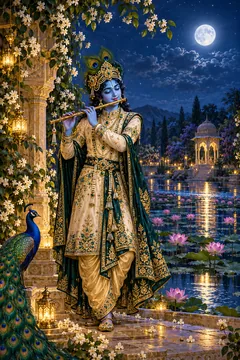

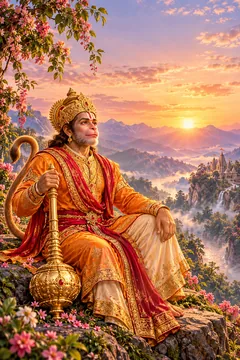
A FEW FAVOURITES, JUST FOR YOU
Find your kind of beautiful.
12 collections. 24 beautiful previews in each. Find even more in the completely free App.
Your next favourite is waiting.
Try another search or colour, or tap a heart to save a preview.
YOUR SCREEN. YOUR FEELING.
Make room for beautiful.
Try a lock-screen look here. For a huge collection of beautiful wallpapers, get the free App.
01 / CHOOSE YOUR BACKGROUND02 / FIND YOUR CLOCK STYLE
ONE FREE APP. ENDLESS INSPIRATION.
Your next look starts here.
- 01
Get LUMA for free.
One App opens a whole world of beautiful wallpapers.
- 02
Discover your kind of beautiful.
Devotion, festivals, nature, flowers, music, and so much more.
- 03
Love your screen. All free.
Every wallpaper is completely free. Find a new feeling for every day.
FREE WALLPAPER APP
So many looks. All free.
A huge collection of beautiful wallpapers, inside LUMA.
If you see a warning that the file may be harmful, tap Download anyway or Keep.This is a normal security prompt—the file is safe.If download will not start, tap ⋯ (top right), choose Open in browser, then try again.
Good to know
A few little details.
What is LUMA?
LUMA is a free wallpaper App with a huge collection of beautiful designs. Explore Indian inspiration alongside flowers, cute looks, music, and more.
Is every wallpaper completely free?
Yes. Every wallpaper in LUMA is completely free. Discover beautiful looks without paying for wallpapers.
Is this the whole App collection?
These are selected previews. Download LUMA to discover the full, much larger collection of beautiful free wallpapers.
Which languages can I use here?
Use the language selector for Hindi, Bengali, Tamil, Telugu, Marathi, or English. This page remembers your choice on this browser.
Can I preview it on a lock screen?
Yes. Open a wallpaper and choose Lock screen. The clock is a styling preview on this page. Preview favourites stay in this browser.
How do I get LUMA?
Tap Download LUMA — Free anywhere on this page to open the current App download. The same button is in each wallpaper preview.